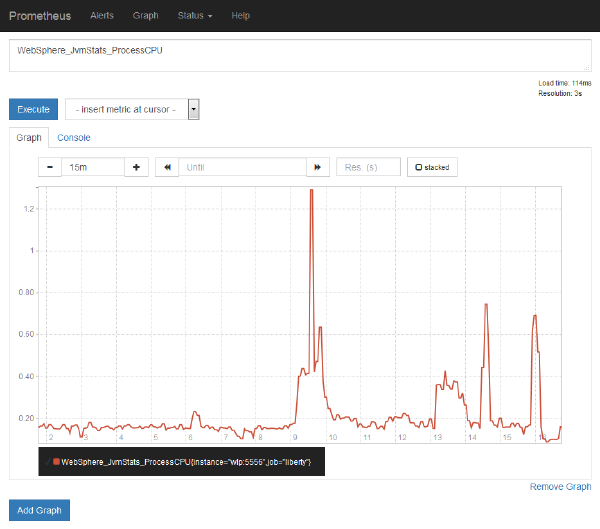
Reading Daniel Bryant’s O’Reilly publication Containerizing Continuous Delivery in Java reminded me of the challenge of determining how processors are available to you when running in a container. In the case of Java, a call to Runtime.getRuntime().availableProcessors() should show this all important information. A quick check reveals that, when called in an unconstrained container, this correctly returns the number of cores on my physical hardware (Docker on Linux) or assigned to the VM containing the Docker Engine (Docker Toolbox or Docker for Windows/Mac). If I used the --cpuset-cpus option on docker run to constrain the cores available to the container then this is also correctly reflected in the value returned. The difficulty arises when access to those CPUs is constrained in other ways.
Take, for example, the new --cpus option in Docker 1.13. Setting this to two on a four-way box, I still get four back from a call to availableProcessors() and rightly so: there are four processors and I may get simultaneous access to all four of them even if the cgroup is then going to make sure that I don’t get that access for more than half of the time. Another potential constraint is a highly multi-tenant environment. If I deploy my test application to Bluemix it tells me that there are 48 processors. That’s great but I’m pretty sure I’m not going to get exclusive access to all of those!
One example we’ve seen where this becomes a real problem is in native memory usage. By default, WebSphere Liberty uses the number of available processors to decide the number of parallel threads it should support. Each of those executors utilises a thread and each of those threads takes up space in native memory. In a containerized environment where total memory is typically constrained (Bluemix containers are sold by the GB/hour) and some generic heuristic is often used to determine the heap size to allocate to the JVM, that can lead to memory exhaustion. That’s why you’ll see a GitHub issue from my colleague Erin that, among other things, proposes setting hard-coding a maximum on the number of threads for the executor service in our Docker images.